
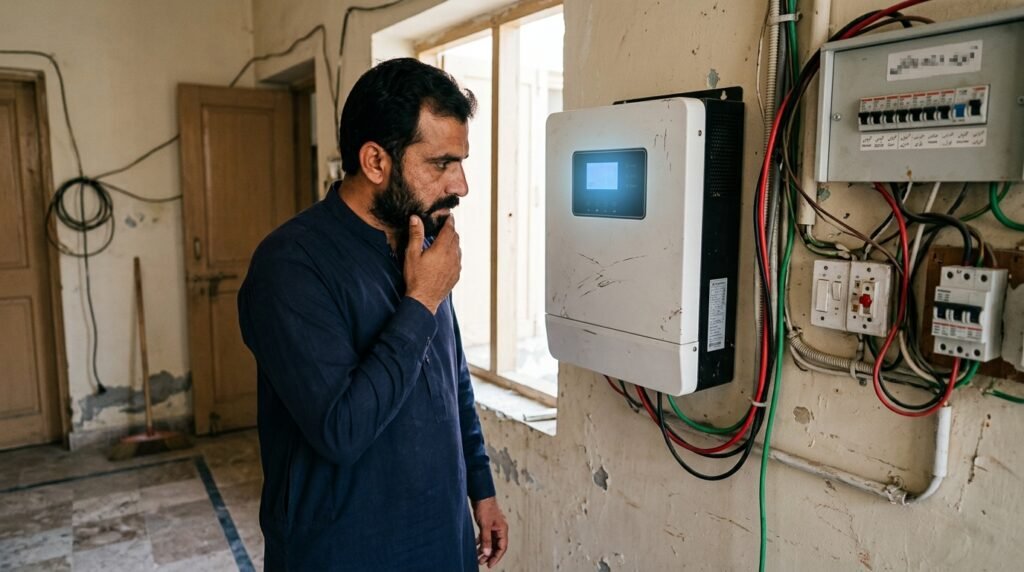
Solar inverters are the brain of your solar system. When they stop working, your whole system stops. This can be very frustrating.
But don’t worry. Most inverter problems are simple. You can fix them yourself without calling a technician.
This guide covers the 4 most common inverter errors in Pakistan and how to fix them.
Error 1: “No PV Input” or “No Solar Input”
What happens: The inverter is on, but it is not taking power from the solar panels. The screen shows “No PV” or “No Solar Input.”
Why this happens:
- Loose DC wires between panels and inverter.
- MC4 connectors are disconnected.
- A fuse or breaker in the DC line is blown.
How to fix:
- Turn off the inverter from the main switch.
- Check all red and black MC4 connectors on the roof. Push them until they click.
- Check the DC breaker or fuse in the combiner box. If it is off, turn it on. If the fuse is black, replace it.
- Turn the inverter back on.
If the error is still there, call a technician. There may be a panel problem.
Error 2: “Over Temp” or “Overheat”
What happens: The inverter stops working in the afternoon. It starts again in the evening. The screen shows “Over Temp” or a temperature icon.
Why this happens:
- Inverter is installed in direct sunlight.
- Inverter is in a small room with no air flow.
- The cooling fan is dirty or not working.
How to fix:
- Move the inverter to a shaded and ventilated place.
- Clean the inverter fan with a dry brush or cloth.
- Make sure there is at least 1 foot of space on all sides of the inverter.
- If possible, add a small exhaust fan in the room.
In Pakistani summers, this error is very common. Proper placement is the best solution.
Error 3: “Ground Fault” or “Isolation Fault”
What happens: The inverter shows a “Ground Fault” or “Isolation Error.” It stops producing power.
Why this happens:
- Moisture or water has entered the DC connectors or junction box.
- A wire has a small cut and is touching the panel frame.
- The insulation on a wire is damaged.
How to fix:
- Turn off the inverter immediately. This error can be dangerous.
- Check all DC connectors for water or dirt. Dry them with a cloth.
- Check the panel frames. Make sure no wire is touching the metal.
- If you see a damaged wire, do not touch it. Call a technician.
Do not try to fix this error yourself if you see damaged wires. High DC voltage is dangerous.
Error 4: “Grid Fault” or “AC Over Voltage”
What happens: The inverter shows “Grid Fault” or “AC Over Voltage.” It stops feeding power to the grid. This is common in on-grid and hybrid systems.
Why this happens:
- Grid voltage is too high or too low.
- Grid frequency is not stable.
- Loose AC wires at the inverter or meter.
How to fix:
- Check the AC breaker in your main distribution box. If it is off, turn it on.
- Check the AC wires at the inverter. Make sure they are tight.
- If the grid voltage is too high (above 270V), wait for a few minutes. The inverter will reconnect automatically.
- If the error keeps coming, call your electricity company. The grid voltage may be unstable.
This error is often not your fault. It is a grid issue.
When to Call a Professional
Some errors need an expert. Call a technician if:
- You see smoke or smell burning.
- The inverter shows “Internal Fault” or “Hardware Fault.”
- You have tried all fixes and the error still appears.
- You are not comfortable working with electricity.
Use Our Calculators to Check Your System
Before calling a technician, use our free tools to understand your system better.
- Load Calculator – Check if your appliances are drawing too much power.
- Estimate Calculator – Compare your current output with expected production.
Quick Summary – Errors and Fixes
| Error | Easy Fix |
|---|---|
| No PV Input | Check MC4 connectors and DC breaker |
| Over Temp | Move inverter to shaded area, clean fan |
| Ground Fault | Dry connectors, check damaged wires (call expert) |
| Grid Fault | Check AC breaker, wait for grid stability |
Need Professional Help?
Visit our shop or contact us for repair and maintenance.
Asif Solar (آصف سولر)
📍 Address: Kot Addu Road, Chowk Munda, Pakistan
🌐 Website: asifsolar.com
📌 Click here to open our location on Google Maps:
👉 Asif Solar on Google Maps
